
Topic Source Workflow
This guide describes the end-to-end process for connecting to data sources, extracting files, generating knowledge topics and notes using OpenAI, storing them in a vector database, and enabling chatbot-powered Q&A.
Step 1: Select and Connect to a Data Source
Supported data sources:
- GitHub – Connect to a repository for source files and documentation.
- Bitbucket – Similar to GitHub, for Bitbucket repositories.
- Website – Fetch content from a public or private website.
- File Share – Upload ZIP files or connect to a network share.
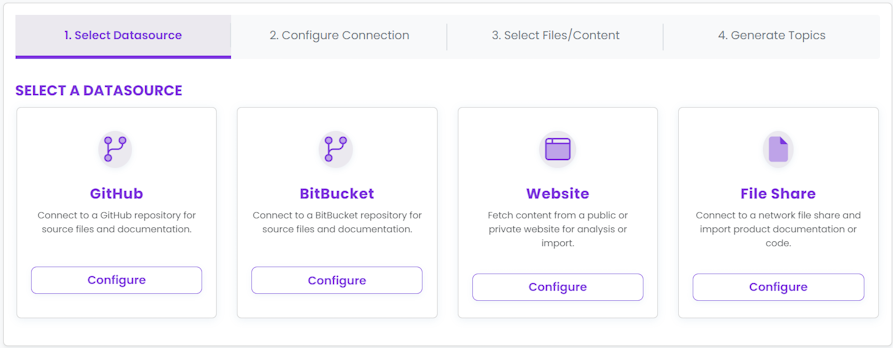
- Choose your data source type.
- Click
Configureto proceed to connection setup.
Step 2: Configure Connection
Enter the required connection details for your selected provider:
- GitHub/Bitbucket: Provider URL, API Token, Owner, Repository, Branch.
- Website: Website URL, Username/Password (if needed), Extra Config.
- File Share: Upload ZIP file or provide UNC path and credentials.
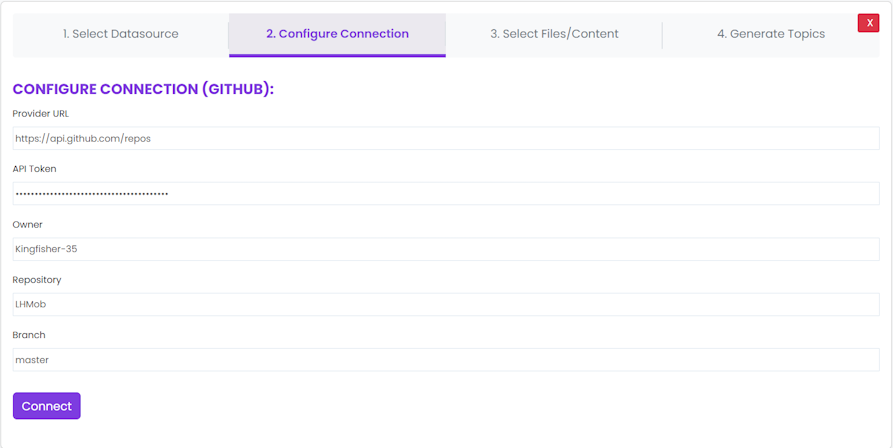
- Fill in the required fields.
- Click
Connectto save and test the connection.
Tip: Credentials and tokens are securely stored and never exposed to other users.
Step 3: Select Files/Content
After connecting, the system fetches a list of available files. You can:
- Review the file list.
- Select individual files or use
Select Allfor bulk selection.
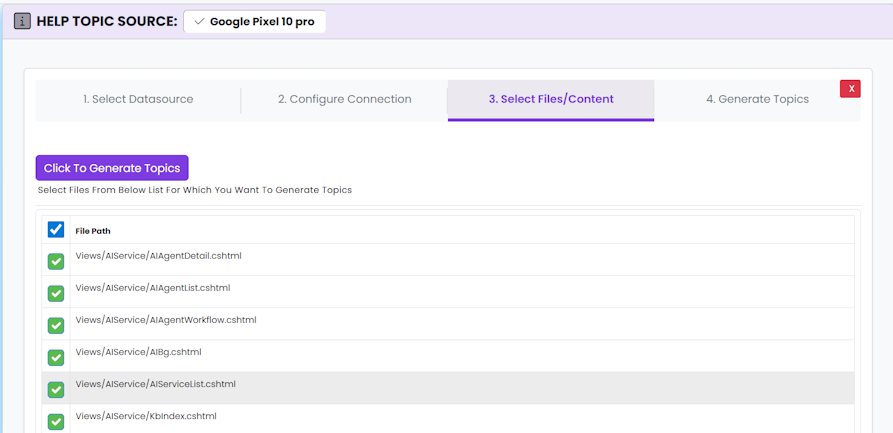
- Check the files you want to process for topic generation.
- Click
Click To Generate Topicsto proceed.